RushView
Download RushView APK Free For Android
RushView is a lightweight Android browser with fast browsing, privacy-focused features, history tools, cache management, APK details, and more.
RushView
Rush View is a lightweight Android browser designed for users who want a simple and straightforward way to browse the web. Its focus is on fast navigation, an easy-to-use interface, browsing history controls, cache management, and a privacy-conscious browsing experience.
Unlike browsers packed with dozens of complicated tools, Rush View keeps the browsing experience relatively simple. If you are looking for information about the Rush View app, its features, latest version, Android compatibility, or download options, this guide covers the important details in one place.
What Is RushView?
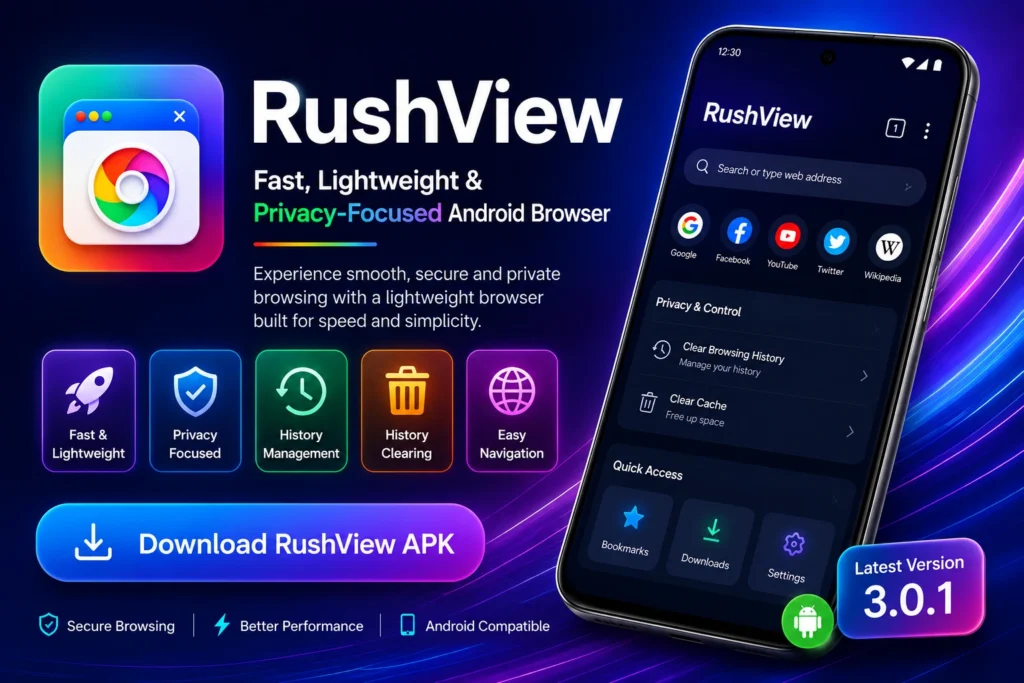
Rush View is an Android web browser created for everyday internet browsing. The app is designed around a lightweight approach, making it suitable for users who prefer a clean interface without unnecessary complexity.
With RushView, users can visit websites, navigate between pages, manage browsing history, and clear cached data when needed. Its straightforward design makes it easier for new users to understand the basic browsing functions without spending much time learning the interface.
The RushView website and app experience are also useful starting points for users researching the browser before installing it. Before downloading any APK, however, users should always check the version, compatibility, permissions, and source of the file.
RushView for Android
RushView is primarily associated with Android devices. The browser is designed to provide a simple browsing experience while keeping the application relatively lightweight.
For users who mainly need a browser for visiting websites, searching for information, and managing basic browsing data, RushView can be an interesting option. Its simple approach can also make navigation feel less complicated than browsers with a large number of additional services and settings.
Lightweight Browsing Experience
One of the main ideas behind RushView is keeping the browsing experience lightweight. A less complicated interface can make it easier to move between websites and find the controls you actually need.
Simple User Interface
RushView focuses on straightforward navigation. Users can access websites and manage common browser functions without dealing with an overly complicated layout.
Easy Navigation
A browser should make basic tasks simple, and RushView follows that principle with a clean approach to everyday web browsing.
Features of RushView App
RushView combines several useful browser tools into a simple Android experience. Here are some of the features users should know about.
Fast and Lightweight Browsing
RushView is positioned as a lightweight browser for everyday web use. Its streamlined design is intended for users who want to browse without a large collection of unnecessary features.
Actual browsing speed can vary depending on the device, website, network connection, and other factors, so performance should always be considered in context.
Simple and User-Friendly Interface
The interface is designed to be easy to understand. Users who are familiar with basic mobile browsers should be able to navigate websites and access common browser functions without a steep learning curve.
Browsing History Management
RushView provides tools for managing browsing history. This can be useful when you want to review previously visited websites or remove browsing records from the device.
Keeping history controls easily accessible is particularly useful for people who regularly share a phone or simply prefer to manage their local browsing information.
Cache Management
Cached files can accumulate over time. RushView includes a cache-clearing option that allows users to remove stored temporary browsing data.
Clearing cache can also be useful when troubleshooting certain website-loading problems, although it may mean that some website resources need to load again.
Privacy-Focused Approach
Privacy is another area associated with RushView. The browser provides controls that allow users to manage aspects of their browsing data.
However, a privacy-focused browser should not automatically be interpreted as complete anonymity. Your network provider, websites, device configuration, and other services can still affect what information is visible or collected.
Easy Website Access
The main purpose of a browser is to make accessing websites straightforward. RushView provides a simple environment for entering web addresses and navigating online content.
RushView Latest Version
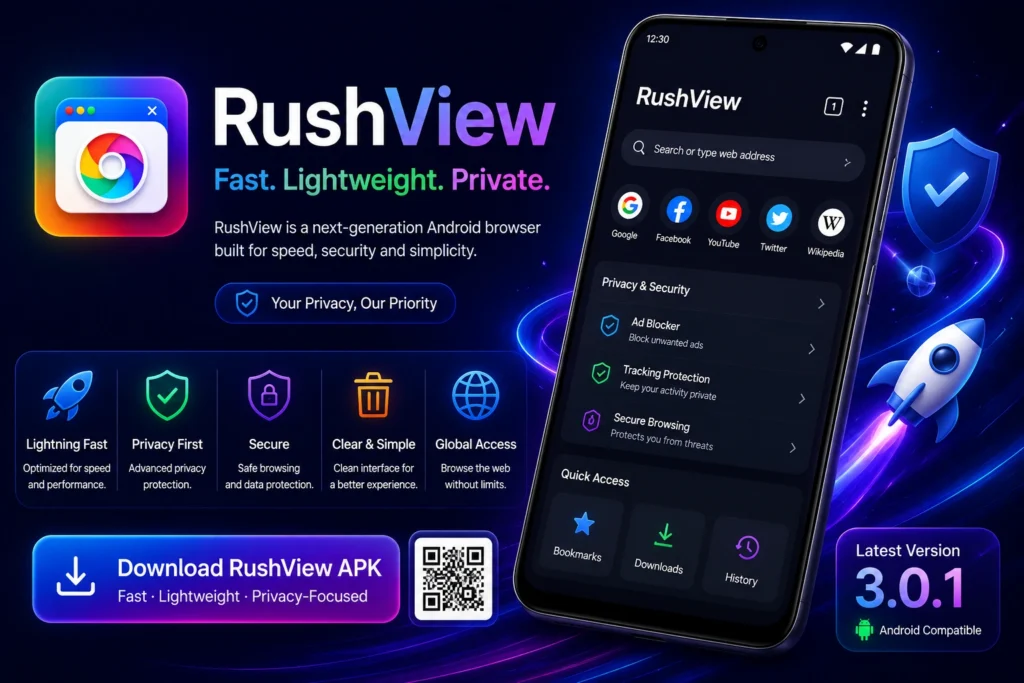
Before installing RushView, it is worth checking that you are using the correct and most recent version available from a trustworthy source.
The version information commonly listed for RushView includes version 3.0.1, with Android compatibility information also provided by major APK directories. Version details can change, so users should verify the current release information before downloading.
A newer version may include bug fixes, compatibility improvements, performance changes, or other updates.
RushView Version Information
- App: RushView
- Platform: Android
- Latest listed version: 3.0.1
- App type: Web browser
- Focus: Lightweight and privacy-conscious browsing
Always verify these details against the current release before installation.
RushView APK Download
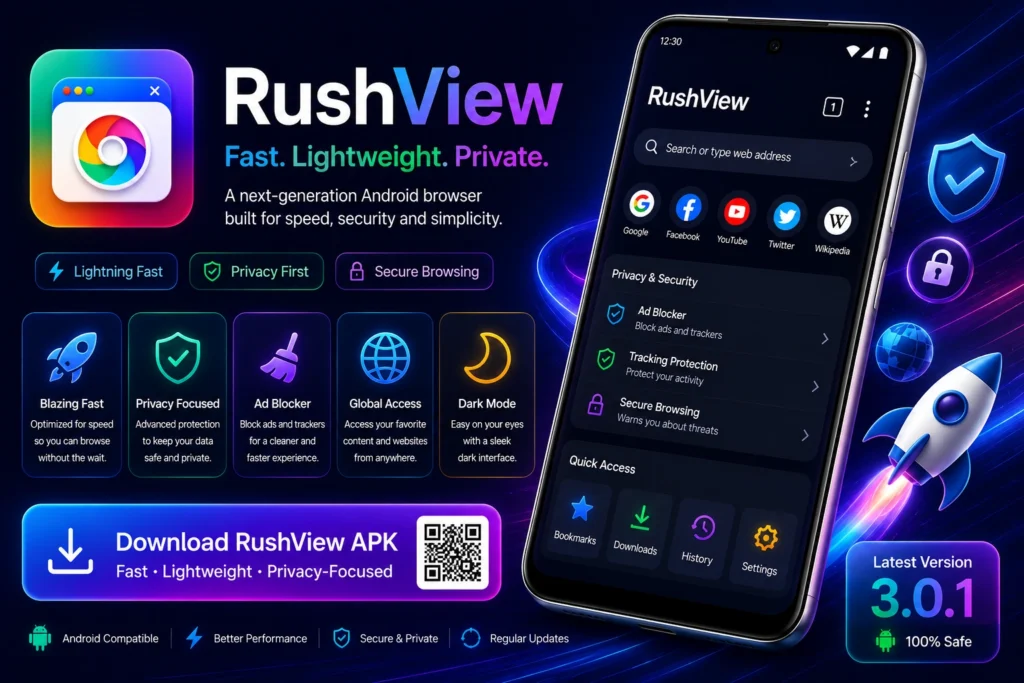
The RushView APK is the Android installation package used to install the application outside the standard app-store installation process.
If you are searching for RushView APK download, use a reputable and trustworthy source. Before opening an APK file, check its version, file information, compatibility, and permissions.
How to Download RushView APK
- Visit a trusted source offering the RushView APK.
- Check the listed version and Android requirements.
- Download the APK file.
- Review the file before opening it.
- Install the application if everything looks correct.
- Open RushView and complete the initial setup.
How to Update RushView
When a newer version becomes available, users installing RushView through an APK may need to manually download the newer package.
Before updating, make sure the new file comes from a trustworthy source and that the version information matches the release you intend to install.
Is RushView Safe?
Is RushView app safe? This is an important question to consider before installing any Android application, particularly when downloading an APK.
Safety depends on several factors, including where the APK comes from, what permissions it requests, whether the file has been modified, and whether the application itself is kept updated.
Check the APK Source
Avoid downloading APK files from unknown websites that provide unclear or suspicious files. A trustworthy download source should provide useful information about the application and its version.
Review App Permissions
Pay attention to the permissions requested during installation. Permissions should make sense for the application’s functionality.
If an application requests permissions that appear unrelated to its purpose, investigate them before continuing.
Keep Android Updated
Using an updated Android version and current security patches adds another layer of protection when installing and using third-party applications.
Is RushView Safe or Not?
There is no universal answer based only on the app’s name. Users should evaluate the specific APK file, its source, permissions, and integrity before installation.
RushView for PC and Windows
Some users search for RushView for PC, RushView for Windows, or RushView PC download because they want to use the browser on a larger screen.
RushView is primarily an Android application, so using an Android-compatible environment may be necessary if a PC version is not officially provided.
Can You Use RushView on PC?
If you want to run an Android application on Windows, an Android emulator can provide an environment for compatible applications. Compatibility and performance can vary between emulators and computers.
Users should avoid downloading random Windows executable files claiming to be an official RushView PC version unless the developer clearly provides one.
RushView for Android TV
Another search users make is RushView for Android TV. Android TV uses a different interface from a standard smartphone, so compatibility should be confirmed before attempting installation.
If an Android TV-compatible version is available, users should check whether the APK supports the TV’s Android version and whether the interface works properly with a remote control.
RushView TV App Compatibility
Before installing a RushView APK for TV, check:
- Android TV version
- APK architecture
- App compatibility
- Installation method
- Remote-control usability
Do not assume that every Android APK will work correctly on every Android TV device.
RushView for iOS
Users also search for RushView for iOS and RushView iOS because they want to use the browser on an iPhone or iPad.
Android APK files cannot be installed directly on iOS. Apple devices use a different application system, so an Android APK is not a suitable installation method for an iPhone or iPad.
If an official iOS version becomes available, users should obtain it through an appropriate official distribution channel rather than installing an Android APK.
How to Change Language in RushView
If your version of the RushView app provides language controls, you can usually look for them inside the application’s settings.
Step 1: Open RushView
Launch the RushView app on your Android device.
Step 2: Open Settings
Look for the settings or menu option within the browser.
Step 3: Find Language Settings
If a language option is available, open it and review the supported languages.
Step 4: Select Your Preferred Language
Choose the language you want to use and return to the main interface.
If you cannot find a language option, your particular RushView version may not provide that setting. Available options can vary between releases.
Why Choose RushView?
RushView may appeal to users who prefer simplicity over a browser filled with extra services.
Lightweight Design
The browser is designed around a relatively simple browsing experience.
Straightforward Controls
Common browsing and data-management tools are easy to understand.
History and Cache Tools
Users can manage browsing history and cached information when necessary.
Privacy-Conscious Approach
RushView places attention on browsing-data management and privacy-related controls.
Simple Everyday Browsing
For users who want basic web browsing without unnecessary complexity, the straightforward design can be appealing.
Who Is RushView Best For?
RushView may be suitable for users who:
- Prefer a lightweight Android browser
- Want a simple interface
- Need basic web browsing tools
- Want easy history management
- Want a convenient cache-clearing option
- Prefer a less complicated browsing experience
It may be less suitable for users who need a browser ecosystem with extensive extensions, synchronization services, advanced developer tools, or other specialized features.
RushView Pros and Cons
Pros
- Lightweight browsing approach
- Simple and accessible interface
- History management tools
- Cache-clearing functionality
- Privacy-conscious positioning
- Designed for Android users
Cons
- May offer fewer advanced features than major browsers
- Android-focused availability
- APK installation may require additional steps
- Compatibility can vary across devices
- Third-party APK downloads require careful source selection
Apps Like RushView
Users searching for apps like RushView have several options. The right alternative depends on whether your priority is privacy, speed, customization, synchronization, or advanced browsing tools.
Google Chrome
Chrome is a widely used browser with strong integration across Android and other platforms. It provides extensive features, synchronization, and compatibility with modern websites.
Mozilla Firefox
Firefox is another established browser that offers customization and privacy-oriented features. It can be a better fit for users who want more control over their browsing environment.
Brave Browser
Brave focuses strongly on privacy and includes built-in tools designed to reduce certain forms of online tracking and advertising.
Opera Browser
Opera provides a broad collection of browsing features and may appeal to users who want more tools than a lightweight browser typically offers.
The best choice ultimately depends on what you value most in a browser.
Frequently Asked Questions About RushView
What is RushView?
RushView is an Android web browser focused on providing a lightweight, simple, and privacy-conscious browsing experience.
Is RushView safe?
Safety depends on the specific installation file and its source. Downloading from a trustworthy source, reviewing permissions, and keeping your device updated are important precautions.
Is RushView free?
RushView is generally listed as a free Android browser. Always check the current release information for the version you intend to install.
What is the latest RushView version?
The version commonly listed for RushView is 3.0.1. Because app releases can change, verify the current version before downloading.
How do I download RushView APK?
Find the RushView APK from a trustworthy source, check its version and compatibility, then download and install the package according to Android’s installation requirements.
Can I use RushView on PC?
RushView is primarily associated with Android. If there is no official Windows release, an Android-compatible environment may be required to run it on a PC.
Does RushView work on Android TV?
Compatibility can depend on the Android TV device, Android version, APK architecture, and interface support. Check these requirements before installation.
Is RushView available for iOS?
An Android APK cannot be installed on iOS. Users should look for an official iOS release if one is provided rather than attempting to install the Android package.
How do I change the language in RushView?
If your version supports multiple languages, check the application’s Settings or menu for a Language option. The available options can vary by version.
Final Thoughts
RushView takes a straightforward approach to Android web browsing. Its lightweight design, simple interface, history controls, cache management, and privacy-conscious positioning make it worth considering for users who prefer a basic browsing experience.
The most important thing is to download the application from a trustworthy source and verify the version and compatibility before installation. Users should also keep realistic expectations: RushView may be attractive because of its simplicity, but larger browsers can provide more advanced features and broader platform integration.
For anyone researching the RushView app, RushView APK, latest version, Android compatibility, PC options, TV support, or safety considerations, understanding these factors can help you decide whether the browser matches your needs.